
Evelynn Howell
She / Her

2D / 3D artist & Developer

A1 was the first college assignment as well as the introduction to 3D modeling. In this assignment we were tasked with creating an arcade machine of our design and choice to get placed in an environment together as a class. By the end of the assignment I had both an arcade machine and a statue to be placed next to it.
When starting this project I forgot to take images of the process prior to this one, which does not happen throughout any other assignment. However, I did do a summary of the tools I used when creating each model, however, at most points there was no tool used, just simple moving of vertices.
As this was my first model the quality was not the greatest in terms of topology however, the poly count was optimized at not at risk of causing any performance issues, nor does the topology interfere with the texturing and overall look. The actual Arcade Machine itself was my first model and the statue was created shortly after with the arcade machine being based around concept art that I had created, though some parts of the concept art never made it onto the model itself such as the bowl cover for the Joysticks. When it came to the references for the statue I used references from the games Wikipedia page, but mostly just memory as i wanted the statue to be somewhat stylized instead of 1:1 accuracy, as I felt it would make the arcade seem more like a scam arcade machine, bringing a little bit of life to the models.
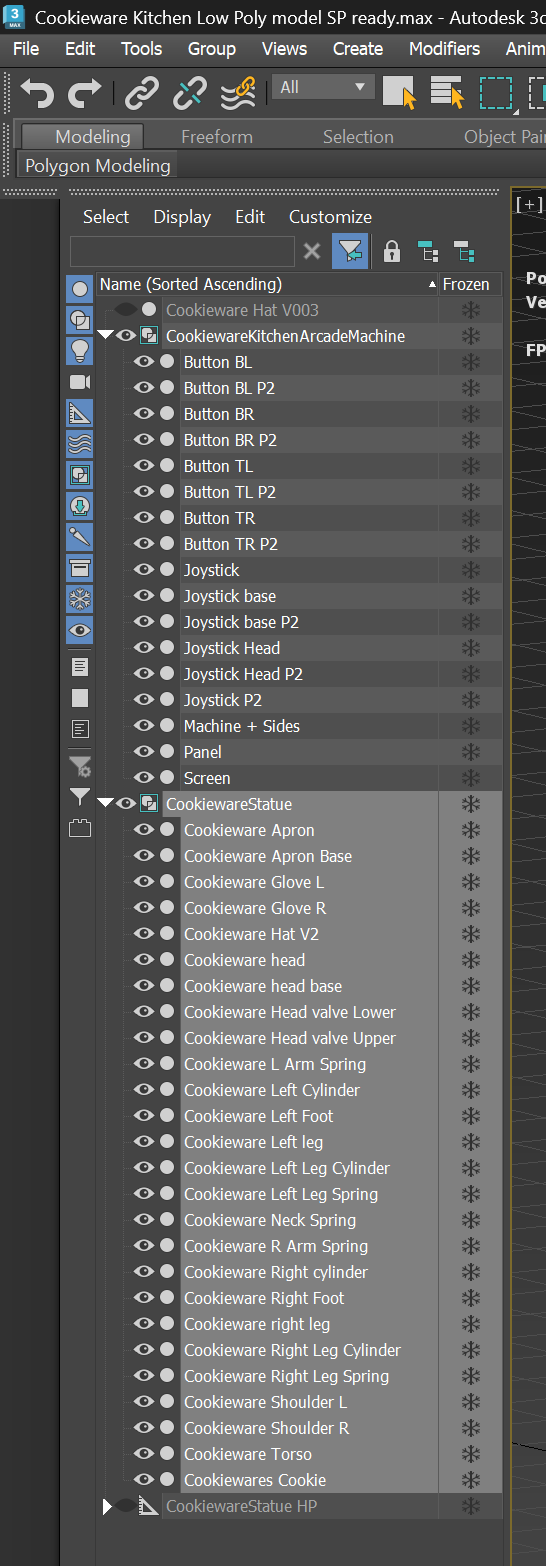
When making the model I made sure that each shape and component I used was organized and labelled accordingly in 3DSMax as well as colour coding each piece to make texturing easier.

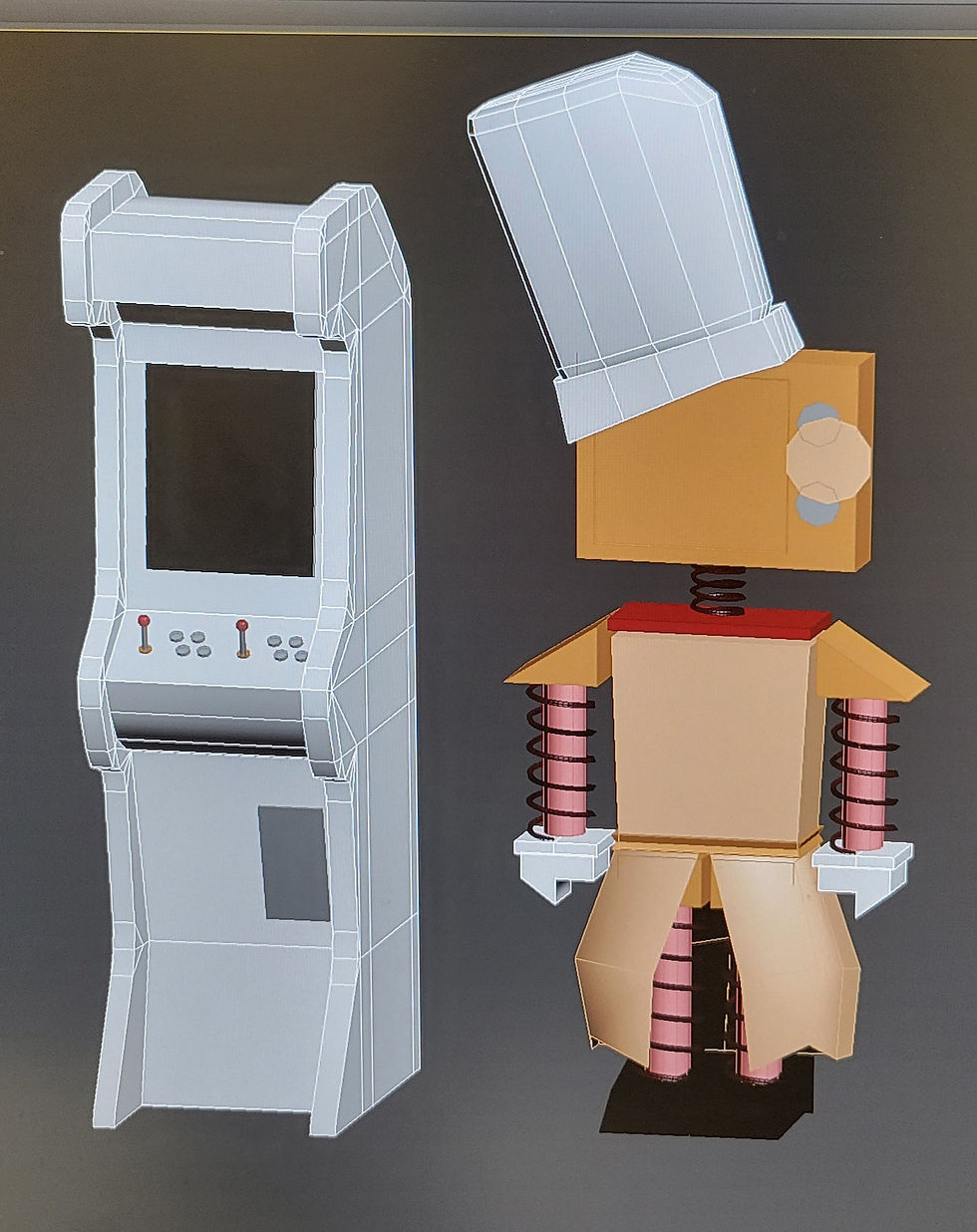
Once the models were completed I was greatly disappointed with how they looked and their appearance, especially the statue. As such I began to remodel specific parts of the statue that I didn't like, with the Chef's hat being the most noticeable change. However more minute changes were made like the thickness of the coils around the limbs and a complete remodel of the apron part itself. One mistake that I discovered after the assignment was that the apron itself was see - through from the from when looking in between the legs, which is a minor oversight but would be a simple fix by making the back not a plane, though there is most likely a more optimal way of doing so.


The next step in the process was to create a high poly version of the model, which was not really a proper option as a large portion of the model is intended to be blocky, so not many parts could be subdivided properly. This part of the model also wound up unused for anything as the models could not bake onto each other due to a slight different in general shape from the chef's hat and apron, losing most of their jaggedness. No other changes were made on the models.

From the previous point the models were exported into substance painter. At the time I did not fully know how to UV Unwrap as well as I do now so the auto unwrap feature was used, but not on any other 3D models and projects as it wouldn't improve upon my skills. As such the unwrap wont be shown as its a mess and unneeded. I began by focusing my texturing on the statue, which began with simple textures using smart materials, however, the colours wound up matte, bland and boring, not matching the actual colours the statue is based off. As such the textures ended up being redone halfway through to better reflect the atual colour scheme the statue is intentended to have. I also used this opportunity to add decals directly onto the model to make it look significantly better.
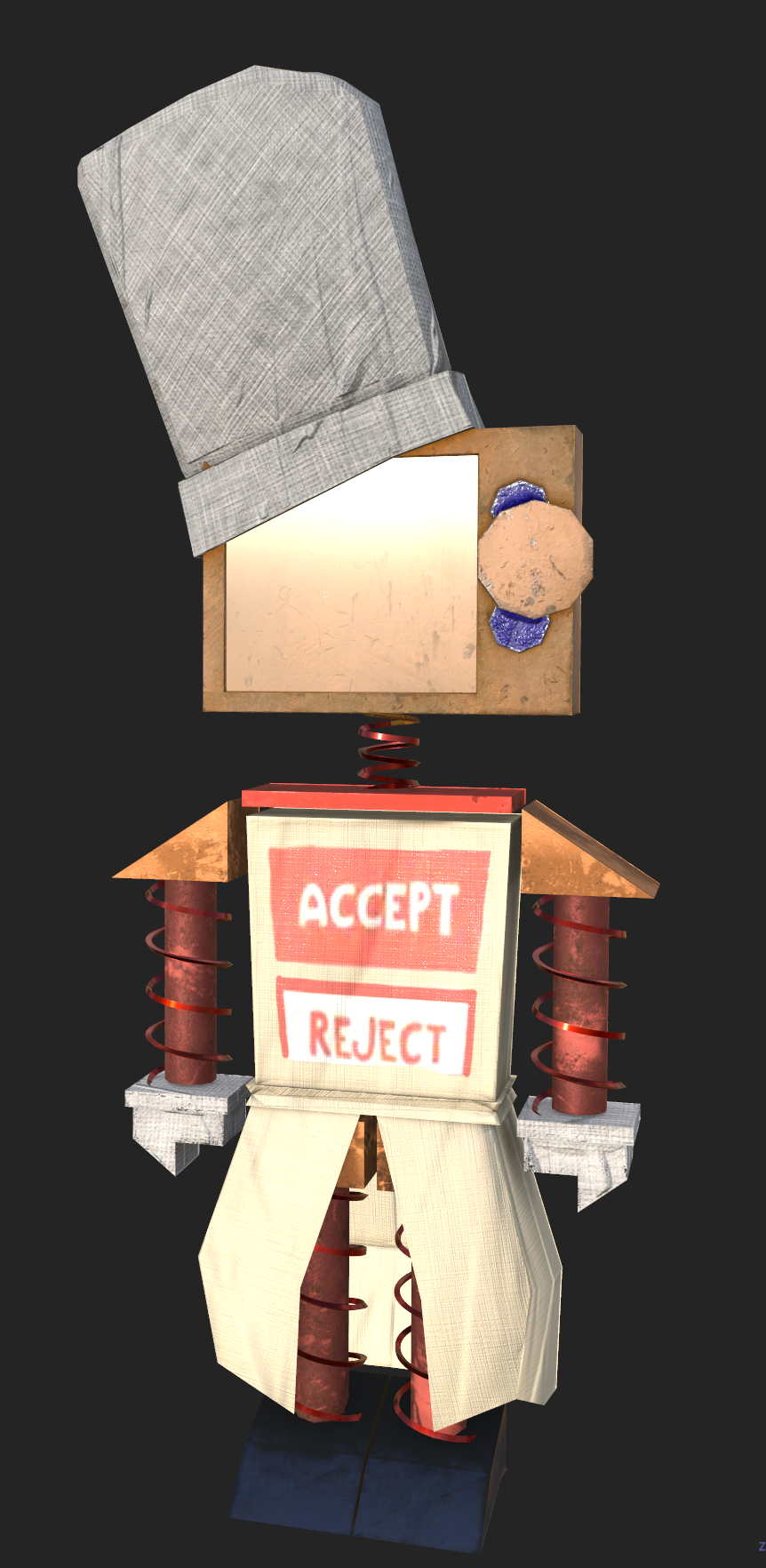

The next step was to upload and create and asset zoo in Unreal Engine to showcase the models in proper lighting. For whatever reason I could never figure out the screens and glass on the Machine and model were glowing, despite not having and emissivity on the textures itself, however it doesn't take too much away from the models, but instead makes them seem broken and busted, which I am ok with.

Then finally beauty shots were taken within Unreal Engine, using warm purple and pink lighting to show off the shadows and lights on the models using a High Resolution screenshot from within Unreal Engine.